Tuesday, April 12, 2011

Implementing a Tree Collection in .NET

Once upon a time I needed a native tree collection to implement an algorithm in .NET, and well...there
isn't one. So I decided to make my own tree. A fluent one at that. Lets get started shall we?

First thing's first, we need a base class. Let's call it...say...Node!

using System.Collections.Generic;

public interface INode<T> {
    IEnumerable<Node<T>> Children { get; }
    INode<T> AddChild(T value);
    INode<T> AddChild(Node<T> value);
    bool HasChild(Node<T> node);
    bool HasChild(T value);
}


using System.Collections.Generic;

public class NodeBase<T> : INode<T> {
    protected readonly List<Node<T>> ChildNodes;
    readonly Dictionary<Node<T>, object> _nodeLookup;

    public NodeBase() {
        ChildNodes = new List<Node<T>>();
        _nodeLookup = new Dictionary<Node<T>, object>();
    }

    public IEnumerable<Node<T>> Children { get { return ChildNodes; } }

    public INode<T> AddChild(Node<T> node) {
        ChildNodes.Add(node);

        _nodeLookup[node] = null;

        return this;
    }

    public INode<T> AddChild(T value) {
        return AddChild(value.Node());
    }

    public bool HasChild(Node<T> node) {
        return _nodeLookup.ContainsKey(node);
    }

    public bool HasChild(T value) {
        return _nodeLookup.ContainsKey(value.Node());
    }
}

public sealed class Node<T> : NodeBase<T> {
    public Node(T value) : this(value, null) {}

    public Node(T value, params Node<T>[] nodes) {
        if(nodes != null)
            ChildNodes.AddRange(nodes);

        Value = value;
    }

    public T Value { get; private set; }

    public override bool Equals(object obj) {
        if (obj == null) return false;

        var node = obj as Node<T>;

        return node != null && node.Value.Equals(Value);
    }

    public override int GetHashCode() {
        return Value.GetHashCode();
    }

    public static bool operator == (Node<T> left, Node<T> right) {
        return left.Equals(right);
    }

    public static bool operator != (Node<T> left, Node<T> right) {
        return !left.Equals(right);
    } 
}

I wanted a common interface for all Nodes to implement and also a default base class they could inherit from. I also implemented HasChild for fast lookups. Lastly I wanted clients to consume all children as an IEnumerable<T> as opposed to a List<T>. This forces clients to call my implementation of Add so that I can place any newly added Nodes in my internal lookup. Some of you may be wondering why I used a Dictionary as opposed to a HashSet. Well, through a few simple tests, I discovered that this was the fastest way to determine if a Node has a particular child.
Oh, almost forgot. I implemented GetHashCode and Equals for equality. This is helpful when using Nodes inside of Dictionaries.

For example the following code will fail despite the 2 Nodes being completely separate instances.

// key already exists
var dic = new Dictionary<Node<int>, string> {
                                               { new Node<int>(3), string.Empty },
                                               { new Node<int>(3), string.Empty }
                                            };

I also took time out to implement the == and != operators

// this will print out true
Console.WriteLine(new Node<int>(3) == new Node<int>(3));

And my lookup tests...

using System;
using System.Collections.Generic;
using System.Diagnostics;
using System.Linq;

public class LookupTests {
    public static void Execute() {
        const object o = null;

        var list = Enumerable.Range(1, 10000000).ToList();
        var dic = list.ToDictionary(n => n, n => o);
        var hashtable = new HashSet<int>();

        list.ForEach(n => hashtable.Add(n));

        // has to enumerate the entire sequence since worst case scenario occurs. O(n)
        Time(() => list.Contains(10000000));

        // O(1)
        Time(() => dic.ContainsKey(10000000));

        // O(1)
        Time(() => hashtable.Contains(10000000));

        // has to make only 1 check since best case scenario occurs. should be just as fast as dictionary lookup. O(n)
        Time(() => list.Contains(1));

        // has to enumerate half the sequence. should be half as fast as first test. O(n)
        Time(() => list.Contains(10000000 / 2));
    }

    static void Time(Action test) {
        var stopWatch = new Stopwatch();

        stopWatch.Start();

        test();

        stopWatch.Stop();

        Console.WriteLine(stopWatch.Elapsed);
    }
}

The implementation using the Dictionary was consistently faster than the rest; including HashSet. Even if I were dead wrong on my conclusion that Dictionary is faster, I could always change the implementation later on due to the benefit of encapsulation. All clients care about is that I return the right result, not "HOW" I did it.

Now we need something to attach all those Nodes to, probably a Tree!

using System;
using System.Linq;

public class Tree<T> : NodeBase<T> {
    readonly static ConsoleColor[] Colors;

    static Tree() {
        Colors = Enum.GetValues(typeof (ConsoleColor)).Cast<ConsoleColor>().ToArray();
    }

    public Tree(params Node<T>[] nodes) {
        ChildNodes.AddRange(nodes);
    }

    public void PrettyPrint() {
        ChildNodes.ForEach(n => PrettyPrintRecursive(0, n, 4));
    }

    static void PrettyPrintRecursive(int indent, Node<T> node, int colorIndex) {
        Console.ForegroundColor = Colors[colorIndex % Colors.Length];

        Console.WriteLine("{0, " + indent + "}", node.Value);

        foreach (var child in node.Children)
            PrettyPrintRecursive(indent + 3, child, colorIndex + 1);

        Console.ResetColor();
    }
}

A Tree is basically a Node, but it doesn't have a value. It just contains other Nodes. You'll also notice that I've implemented a handy helper method in order to get a visual representation of our tree on screen. I of course used recursion to iterate the tree since they possess that innate quality. I used the modulace operator so I don't have to worry about IndexOfOfRangeExceptions. I could pass 1000 as the colorIndex and things still work out just fine.

Now that we have a basic structure in place, let's actually construct a Tree.

NOTE: Don't try compiling my code just yet because you're missing a few methods.. The best is yet to come.

class Program {
    static void Main() {
        var three = new Node<int>(3);
        three.AddChild(6);
        three.AddChild(7);
        three.AddChild(8);

        var four = new Node<int>(4);
        four.AddChild(new Node<int>(9));
        four.AddChild(new Node<int>(10));
        four.AddChild(new Node<int>(11));

        var five = new Node<int>(5);

        five.AddChild(12);
        five.AddChild(13);
        five.AddChild(14);

        var tree = new Tree<int>(three, four, five);

        tree.PrettyPrint();
    }
}


So we made a tree and printed it out, but the syntax is rather verbose. Seeing as how I have a backgroud in F#, I prefer my syntax to be as lean as possible. It's about time I whipped out my swiss army knives and cut the fat off this tree!!

"Oh extension methods...where are you?"

"Right here sir!!"

"Did you bring LINQ with you?"

"Yes sir we did!!

"Thank you extensions..."

Okay, enough with the personification already.

using System.Linq;
using System.Linq;

public static class NodeExtensions {
    public static Node<T> Node<T>(this T value) {
        return new Node<T>(value);
    }

    public static Node<T> Node<T>(this T value, params T[] values) {
        return new Node<T>(value).Children(values);
    }

    public static Node<T> Node<T>(this T value, params Node<T>[] nodes) {
        return new Node<T>(value, nodes);
    }

    public static Node<t> Children<T>(this Node<T> node, params T[] values) {
        values.ToList().ForEach(n => node.AddChild(n));

        return node;
    }

    public static Node<T> Children<T>(this Node<T> node, params Node<T>[] nodes) {
        nodes.ToList().ForEach(n => node.AddChild(n));

        return node;
    }
}

class Program {
    static void Main() {
        var nodeOne = 1.Node(3.Node(3.Node(2), 4.Node(99), 5.Node(15, 20, 90)), 4.Node(7, 7, 7), 5.Node(8, 7, 7));

        var tree = new Tree<int>(nodeOne, 2.Node(8, 8).Children(4, 5, 6, 7, 8));

        tree.PrettyPrint();
    }
}


Now we can write some nifty syntax. I wanted to make things as flexible as possible when adding child Nodes. You can add raw values as they are, you can call the children extension for a more domain specific approach, or you can amplify a value by wrapping it as a node and add it that way. Extension methods allow you the leverage type inference and the compiler to its full extent. I wish the same could be achieved at construction time, but making extra helper methods aren't so bad. I really got into a habit of using extensions for type inference in C# by reading Thomas P's book Real Work Functional Programming. That guy is a genius!! He and Don Syme both. If you want to be a better programmer, I'd suggest reading that book and Expert F# 2.0. They'll take you a long way in .NET and show you what you've been deprived of all these years using Java and C# (C# not so much, but Java...yea).

And that's it!! We created our base class and interface INode and NodeBase. Then we implemented our two concretes classes (Tree and NodeBase). And lastly we spiced things up using type inference and extension methods to get a fluent, clean syntax. Feel free to use the code in whatever way you like. It's about time we get a native tree to work with in .NET huh? Come on Microsoft!!

Well...until next time my friends. I'll be back with another post for RavenDb and NHibernate. I think you'll like it. It's quite the implementation.

Cheers!!

Friday, March 4, 2011

Creating an Ajax Action Method Selector With ASP.NET MVC 3

I was perusing through the nerd dinner source code when I encroached upon a legitimate opportunity to implement my own custom Action Method Selectors. Action Method Selectors are a component of the Action Invoker, which is responsible for finding a valid action for the request's target controller. Some examples of native action invokers implemented in MVC and HttpPost and HttpGet. Check out this great post explaining some of the core extensibility points provided by the ASP.NET MVC framework.

Paste the following into a new controller. If you're using the default solution provided by MVC, just decorate your Index method of the HomeController with the HttpGet Action Method Selector.

[HttpGet]
public ActionResult Index() {
   // do something for an HTTP GET request.
}

Using intellisense, we see that the HttpGet selector instructs MVC to only execute your controller action for get requests sent over HTTP. If you try sending a post request to the Index controller, it will obviously fail.

Now that we've seen an example of a selector, let's explore my motive to create my own custom selectors for AJAX requests.

I'd wanted to implement these selectors for quite some time now, but never found a legitimate reason to do so until checking out the nerd dinner source code. There was a snippet in the AuthController that threw an exception if the request wasn't sent via AJAX over the OpenID protocol. That was all I needed.

Creating the Action Selectors


First thing's first; the action selectors. We're creating one for our 4 expected verbs: GET, POST, PUT and DELETE.

using System;
using System.Reflection;
using System.Web.Mvc;

namespace Adubb.Web.ActionSelectors {
    /// 
    /// Represents an attribute that is used to restrict an action method so that the method handles only AJAX GET requests.
    /// 
    [AttributeUsage(AttributeTargets.Method, AllowMultiple = false, Inherited = true)]
    public sealed class AjaxGetAttribute : ActionMethodSelectorAttribute {
        public override bool IsValidForRequest(ControllerContext controllerContext, MethodInfo methodInfo) {
            return controllerContext.HttpContext.Request.IsAjaxRequest() && controllerContext.HttpContext.Request.HttpMethod == "GET";
        }
    }

    /// 
    /// Represents an attribute that is used to restrict an action method so that the method handles only AJAX POST requests.
    /// 
    [AttributeUsage(AttributeTargets.Method, AllowMultiple = false, Inherited = true)]
    public sealed class AjaxPostAttribute : ActionMethodSelectorAttribute {
        public override bool IsValidForRequest(ControllerContext controllerContext, MethodInfo methodInfo) {
            return controllerContext.HttpContext.Request.IsAjaxRequest() && controllerContext.HttpContext.Request.HttpMethod == "POST";
        }
    }

    /// 
    /// Represents an attribute that is used to restrict an action method so that the method handles only AJAX PUT requests.
    /// 
    [AttributeUsage(AttributeTargets.Method, AllowMultiple = false, Inherited = true)]
    public sealed class AjaxPutAttribute : ActionMethodSelectorAttribute {
        public override bool IsValidForRequest(ControllerContext controllerContext, MethodInfo methodInfo) {
            return controllerContext.HttpContext.Request.IsAjaxRequest() && controllerContext.HttpContext.Request.HttpMethod == "PUT";
        }
    }

    /// 
    /// Represents an attribute that is used to restrict an action method so that the method handles only AJAX DELETE requests.
    /// 
    [AttributeUsage(AttributeTargets.Method, AllowMultiple = false, Inherited = true)]
    public sealed class AjaxDeleteAttribute : ActionMethodSelectorAttribute {
        public override bool IsValidForRequest(ControllerContext controllerContext, MethodInfo methodInfo) {
            return controllerContext.HttpContext.Request.IsAjaxRequest() && controllerContext.HttpContext.Request.HttpMethod == "DELETE";
        }
    }
}

Creating the Controller


If you haven't already, create a new ASP.NET MVC 3 Web Application.

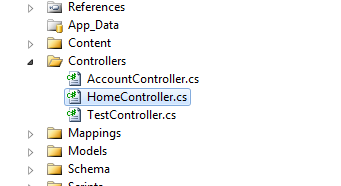
Inside the HomeController, insert the following

public class HomeController : Controller {
    public ActionResult Index() {
        ViewBag.Message = "Welcome to ASP.NET MVC!";

        return View();
    }

    public ActionResult About() {
        return View();
    }

    [AjaxGet]
    public ActionResult AjaxGet() {
        return Content("ajax get succeeded. a-dubb is a genius!!");
    }

    [AjaxPost]
    public ActionResult AjaxPost() {
        return Content("ajax post succeeded. a-dubb is a genius!!");
    }

    [AjaxPut]
    public ActionResult AjaxPut() {
        return Content("ajax put succeeded. a-dubb is a genius!!");
    }

    [AjaxDelete]
    public ActionResult AjaxDelete() {
        return Content("ajax delete succeeded. a-dubb is a genius!!");
    }
}

We've simply added an action for each type of verb we expect to be sent down by the client. We have one for GET, POST, PUT, and DELETE request. Pretty straightforward.

How do we Know it Works?

We'll verify that later, but for now try hitting /Home/AjaxGet in your browser

You should see a 404.


This is because MVC couldn't find a controller that could handle the request. That's a good start, but our goal here is to see it working with AJAX.

Creating the View


The view is simple. It's composed of a button that can initiate each type of request.

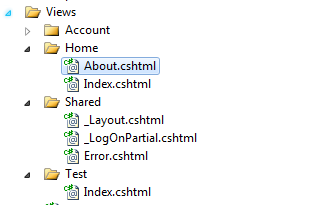
Inside About.cshtml insert the following

@{
    ViewBag.Title = "Testing A-Dubb's Extensions Client Side";
}

About

Hey there friends. We're going to write a little test page here.


Your page should look something like


Adding AJAX

The last thing we need to do is spice up the client with a bit of AJAX. Insert the following into the bottom of About.cshtml.

var mappings = [{ 'GET' : '/Home/AjaxGet' }, { 'POST' : '/Home/AjaxPost'}, { 'PUT' : '/Home/AjaxPut' }, { 'DELETE' : '/Home/AjaxDelete' }];

$(function () {
    $('.ajax-test button')
    .each(function (index, value) {
        var verb = $(value).text();
        var url = mappings[index][verb];

        $(value).click(function () {
                execAjax(verb, url);
        });
    });
});

function execAjax(verb, url) {
    $.ajax({
        url: url,
        type: verb,
        dataType: 'text',
        success: function (data) {
            alert(data);
        }
    });
}

After clicking GET


First we created our mappings array. You can think of it as a dictionary where the verb is the key and the controller url is the value. Next we want to find all of our test buttons using the .ajax-test button selector. We iterate over each button, find the corresponding key value pair in our mappings array, and use the text of the button to retrieve the controller url. The syntax may look a little funny, but it's perfectly legite javascript. Object properties can be accessed using object.propertyname or object[propertyname]. It's just one of those things you come to know after writing javascript for a while. I thought about using JSLINQ to query my array for the right value, which would have been a little more intuitive, but thanks to the flexibility of javascript it all worked out.


And that's it!!

We've implemented a custom Action Method Selector. Feels pretty good eh? Cheers!!

Saturday, November 13, 2010

Solving the "File Is Corrupt" Install Error for ASP.NET MVC 3 RC

I was eager to get my hands on the latest version of ASP.NET MVC 3 when my euphoria was abruptly interrupted with an install error.


HINT: Use Internet Explorer 8 (IE8)...

The problem is client side. Apparently the installer only works if downloaded via IE8. I received the error using Google Chrome and according to Scott Gu, IE9 Beta won't suffice either.  Once downloaded with IE8, you should be able to enjoy the wonders of MVC 3 RC.

NOTE: If you've installed the Async CTP or a previous version of MVC 3, you'll have to uninstall it in order to install MVC 3 RC. See this blog post here from Scott Gu for more details.

Let the hacking begin...
We've all had our problems serializing .NET dictionaries. Specifically with the XmlSerializer. Everyone has saw that dreaded yellow screen of death or perpetual stack trace...

// post stack trace.

Serialization using json

There are 2 choices we have here. The legacy JavaScriptSerializer and DataContractSerializer. The legacy implementation will allow you to serialize more complex data strucutures, but at a cost. Here's the output of the legacy serializer.

// show output.

You may be thinking "no big deal" right?

Well lets take a look at what the DataContractJsonSerializer outputs

// show output.

As you might have guessed, the latter can be more readily consumed client side. It takes the names of the target objects properties into consideration, which is what one would expect.

Wrap up

Use the legacy serializer when you don't care about the output or you want to serialize nested collections without getting yelled at by the runtime.

Use the newer WCF based serializer when you want more user friendly javascript to work with.

The problem with json serialization

Notice that nothing about types when mentioned by the output of neither the legacy or WCF based serializers. That would present itself as a problem for most. In my case, it broke my equality comparison because as we all know, one rudimentary philosophy of equality is that the objects in question must be of the same type.

XmlSerializer to the rescue